
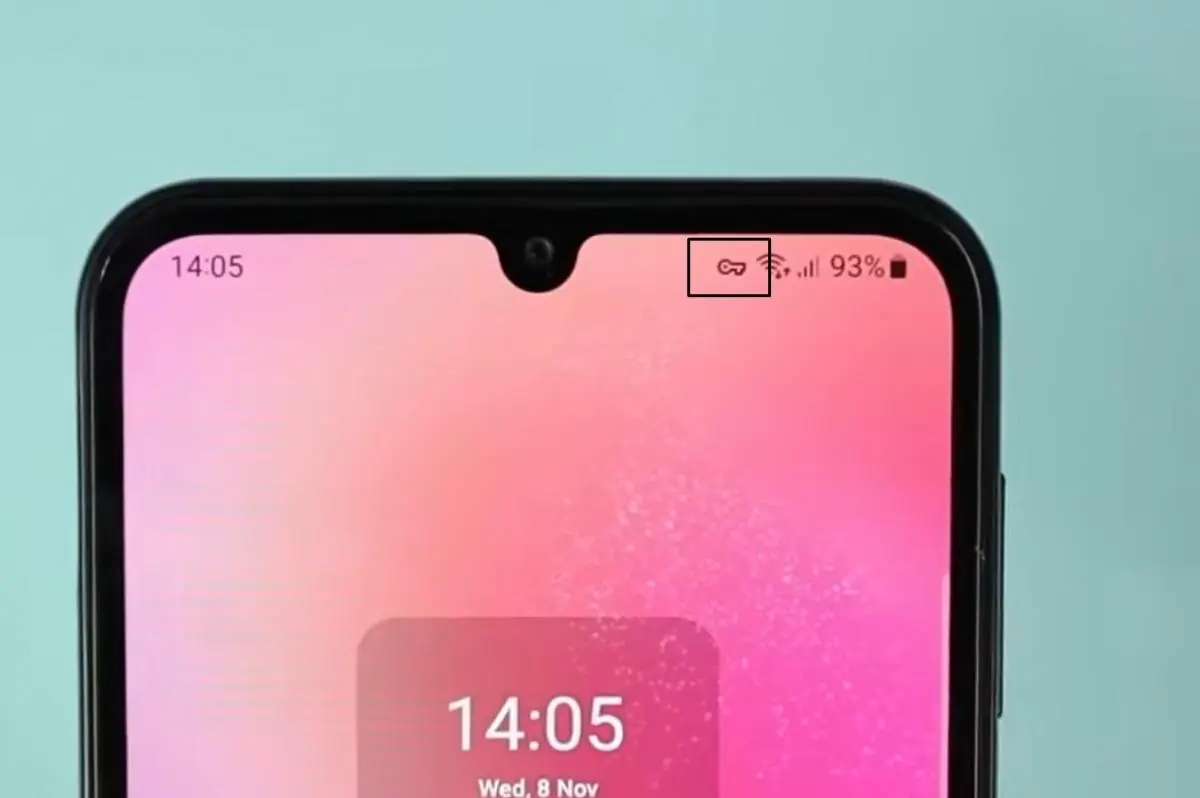
The key icon in the status bar of an Android smartphone does not indicate a malfunction or a security threat. It signals an active VPN connection: all or part of the device’s internet traffic is routed through a remote server. If a user doesn’t remember turning on the VPN, they should immediately check which app is managing the connection, according to Computer Hoy.
A VPN, or virtual private network, acts as an intermediary between the phone and the Internet. It hides the device’s real IP address and encrypts some of the traffic. As soon as the system detects such a connection, it automatically displays an icon next to the connection, Wi-Fi, and battery indicators.
The icon isn’t always associated with services like NordVPN or Proton VPN that the user has installed themselves. VPN-based technologies are also used by antivirus programs, firewalls, ad blockers, and parental control tools. Some of these create a local connection to filter or analyze traffic. That’s why the key might appear even on a smartphone that has never had a VPN app installed.
How to Find the Key’s “Owner”
You can check the connection source in the settings. On most devices, simply type “VPN” into the menu search bar and open the corresponding section. There, you’ll see the active connection and, usually, the app that controls it. You can keep a service you recognize, but you should disable any unknown connections or apps you no longer use right there. In most cases, the key disappears after you disconnect or uninstall the app.
According to Android documentation, before launching any VPN app for the first time, the system displays a prompt asking the user to confirm that they trust the app. Apps that have received this permission appear in the “Settings > Network & Internet > VPN” menu. While the connection is active, an info block with a link to the settings also appears in the quick settings panel. According to Android Developers, only one VPN service can be active at a time for a single user or work profile.
Starting with Android 7.0, the system can launch a VPN when the device is turned on and maintain a constant connection. In this mode, it’s also possible to block any connections that bypass the VPN.
When to Disable the VPN
A VPN remains one of the most useful tools for protecting privacy on public Wi-Fi networks, hiding your IP address, and providing additional security while browsing the web. It’s also widely used by companies to give employees access to internal resources. The icon in the status bar is merely an informational indicator. It’s important not to remove the icon, but to ensure that the connection is being managed by the program that’s supposed to do so.